NoteTell
Money identifier app for the blind and visually impaired
NoteTell is a bill identifier app designed for users who are blind or have low vision. It uses the camera on your iPhone to recognize a banknote in less than 1 second. VoiceOver speaks its value out loud, or NoteTell tells you by vibration when Vibration Mode is on.
NoteTell Money Reader is coming soon to the App Store
Free to download, with a 14-day free trial of the full version.
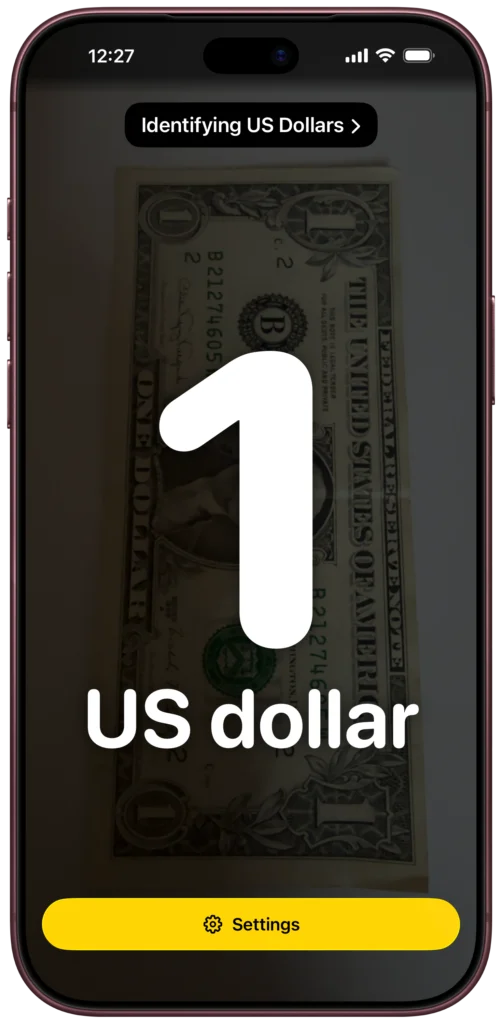
Identify bills without help
Whether you’re blind, have low vision, or are deaf-blind, NoteTell Money Reader lets you identify bills without sighted assistance. It helps you handle your money with greater ease and independence. When you’re shopping, use NoteTell to check your money at checkout and make sure you get the right change back. You can also use it to sort and count your money quickly, on your own.
How it works
First, download the NoteTell Money Reader app from the App Store, open it, and choose the currency you want NoteTell to recognize. Then point your iPhone camera at a bill, and NoteTell speaks its value in real time. You can also say “Siri” or “Hey Siri,” then “Identify currency with NoteTell,” and NoteTell reads the value of the bill in front of the camera. While it scans, NoteTell can beep to let you know it’s working.
Identify money quickly and reliably
NoteTell Money Reader is a fast and reliable bill identifier app. Hold a bill up to the camera, and you’ll hear its value in less than 1 second. You don’t have to hold your iPhone still or take a photo and wait. NoteTell combines input from the iPhone camera with on-device machine learning trained specifically to identify banknotes.
NoteTell Money Reader is coming soon to the App Store
Recognize banknotes your way
NoteTell Money Reader can accurately identify a bill at any angle. It doesn’t matter which way you hold the bill. Even if you show just a small portion of the bill to the camera, NoteTell still reads it. It reads folded, worn, or damaged bills too. It works with your iPhone upright or sideways.
Identify money offline
NoteTell Money Reader doesn’t need an internet connection, so it reads money anywhere. NoteTell recognizes bills on your iPhone itself. Every currency NoteTell reads is already inside the app, so there’s nothing extra to download.
Recognize money day or night
NoteTell Money Reader can identify money in different lighting conditions, even in low-light situations. It automatically turns on the flashlight when the camera detects a low-light environment.
Easier to read on screen
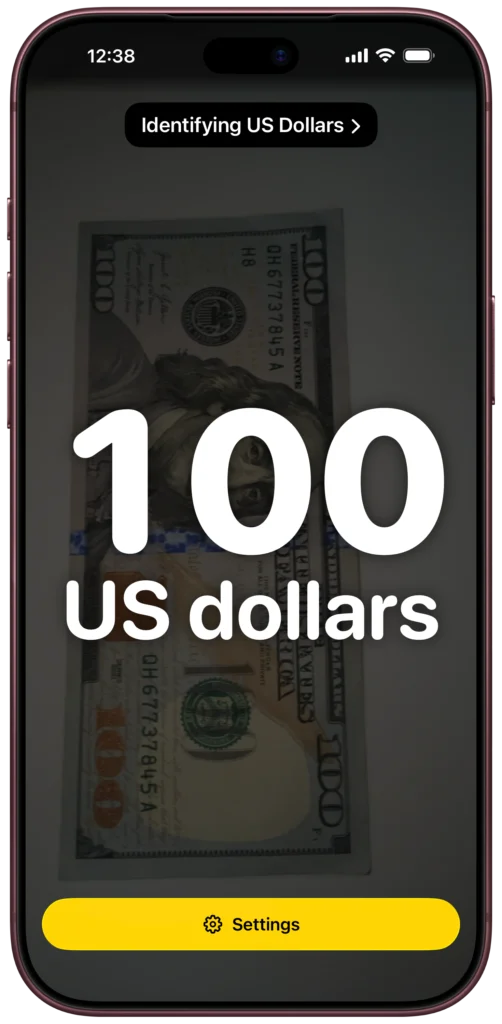
NoteTell shows the value of each bill on screen in large, high-contrast numbers, making it easier for users with low vision to identify money.
Identify money by vibration
When Vibration mode is on, NoteTell tells you the value by vibration instead. The lowest bill vibrates once, the next one twice, the next three times, and so on. It tells you the value of each bill without anyone else hearing it, so no one knows how much money you’re carrying. And for deaf-blind users, it’s a fast and reliable way to identify money.
Full VoiceOver support
You can complete every task in NoteTell Money Reader using only VoiceOver, without sighted assistance. All controls have concise, accurate labels.
Braille display support
NoteTell Money Reader works with refreshable braille displays, so you can read the value of a bill in braille while you listen, or instead.
Currencies NoteTell can identify
These are the banknote denominations NoteTell can recognize in each currency.
- British pound £5, £10, £20, and £50
- Kenyan shilling 50, 100, 200, 500, and 1,000 shillings
- Rwandan franc 500, 1,000, 2,000, and 5,000 francs
- South African rand R10, R20, R50, R100, and R200
- Tanzanian shilling 1,000, 2,000, 5,000, and 10,000 shillings
- Ugandan shilling 1,000, 2,000, 5,000, 10,000, 20,000, and 50,000 shillings
- US dollar $1, $2, $5, $10, $20, $50, and $100
- West African CFA franc 500, 1,000, 2,000, 5,000, and 10,000 francs
See the countries that use each currency
Don’t see your currency? Let us know which one you need.
Try NoteTell Money Reader yourself
You can download NoteTell Money Reader for free on your iPhone. Search for NoteTell in the App Store, or use the link below.
After you install NoteTell, go to Settings in the app, then tap Full version to start a 14-day free trial. When the trial ends, NoteTell goes back to the free version, which identifies the two lowest bills of each currency. There’s no automatic charge. When you’re ready, buy the full version once. There’s no subscription.
NoteTell Money Reader is coming soon to the App Store